
A rope across every unfinished site: a preview page for a stranger, the site itself for the team.
VelvetRope sits in front of each Staging site and asks for a key first. A visitor without one gets a Preview access page; a visitor with one goes through and is remembered for a week.
- Accessibility documented
- One page, drawn dark only

Internal to Renkara. VelvetRope is a tool Renkara Media Group builds and runs for itself. It is not for sale, and there is nothing to buy or join.
A gate that shows the door and keeps the key out of the page.
VelvetRope is a small program that runs at the edge of the network, in front of a Staging site, before any of the site is sent. It is internal to Renkara and is not offered for sale, and there is no install or download button on this site. It has one screen, the Preview access page, and every picture here is a capture of that real page served on a Staging address invented for the demo, StrataForge Robotics, a fictional company. This site holds no key, and nothing on it opens a Staging site. These are the things the gate does.
What someone with no key meets
A Preview access page instead of the site
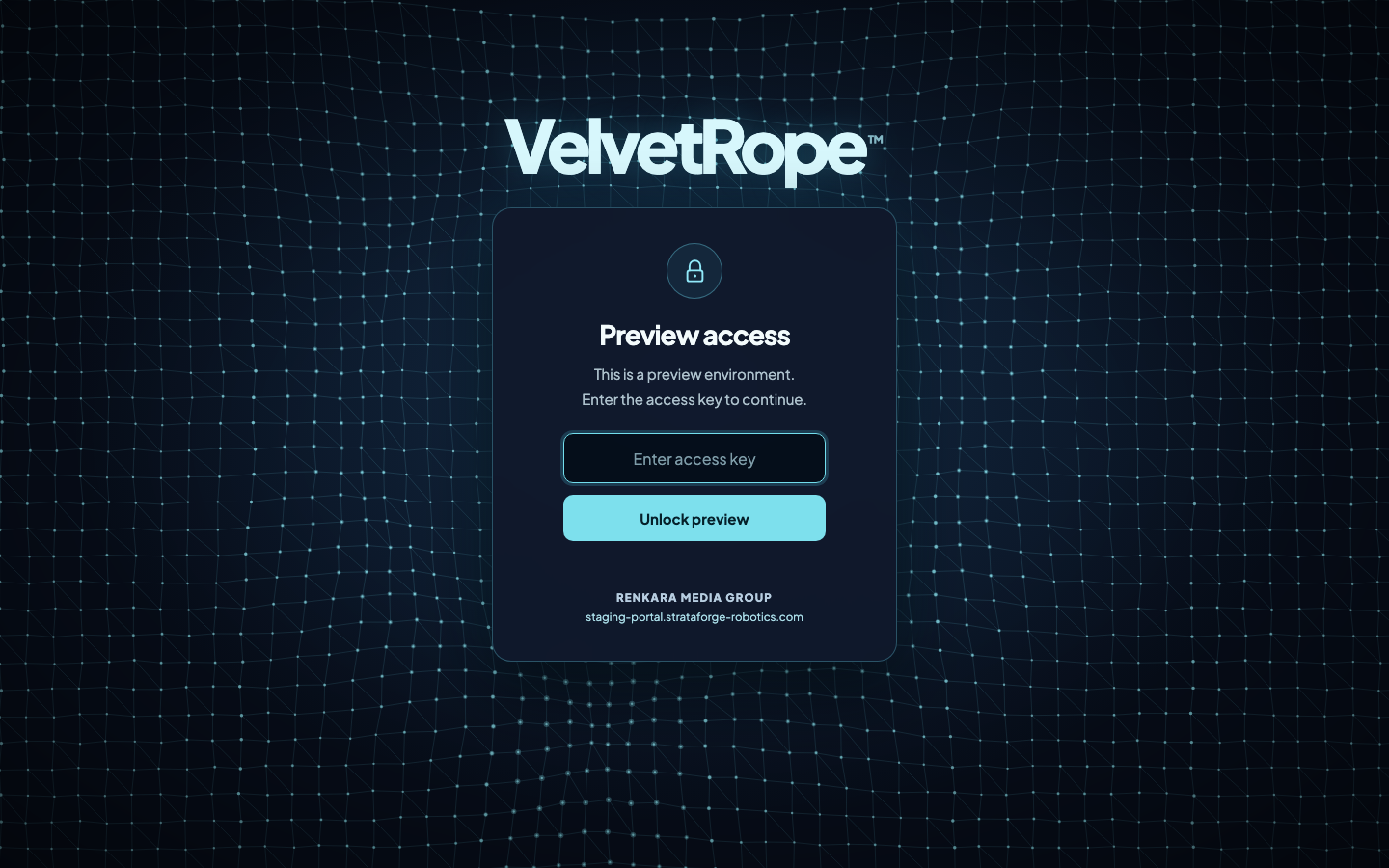
A page request with no accepted key gets the gate page, not the site: a padlock, the words Preview access, a line saying this is a preview environment, a key field, and an Unlock preview button. Under them are the company's name and the Staging address that was asked for. The page tells search engines not to index it and is never cached.
- A right key goes straight through
- A right key makes the card dissolve and the Staging site load in its place. The gate then remembers the visitor in that browser for a week, so a teammate opening the same site again does not meet the page.
A wrong key says how many tries are left
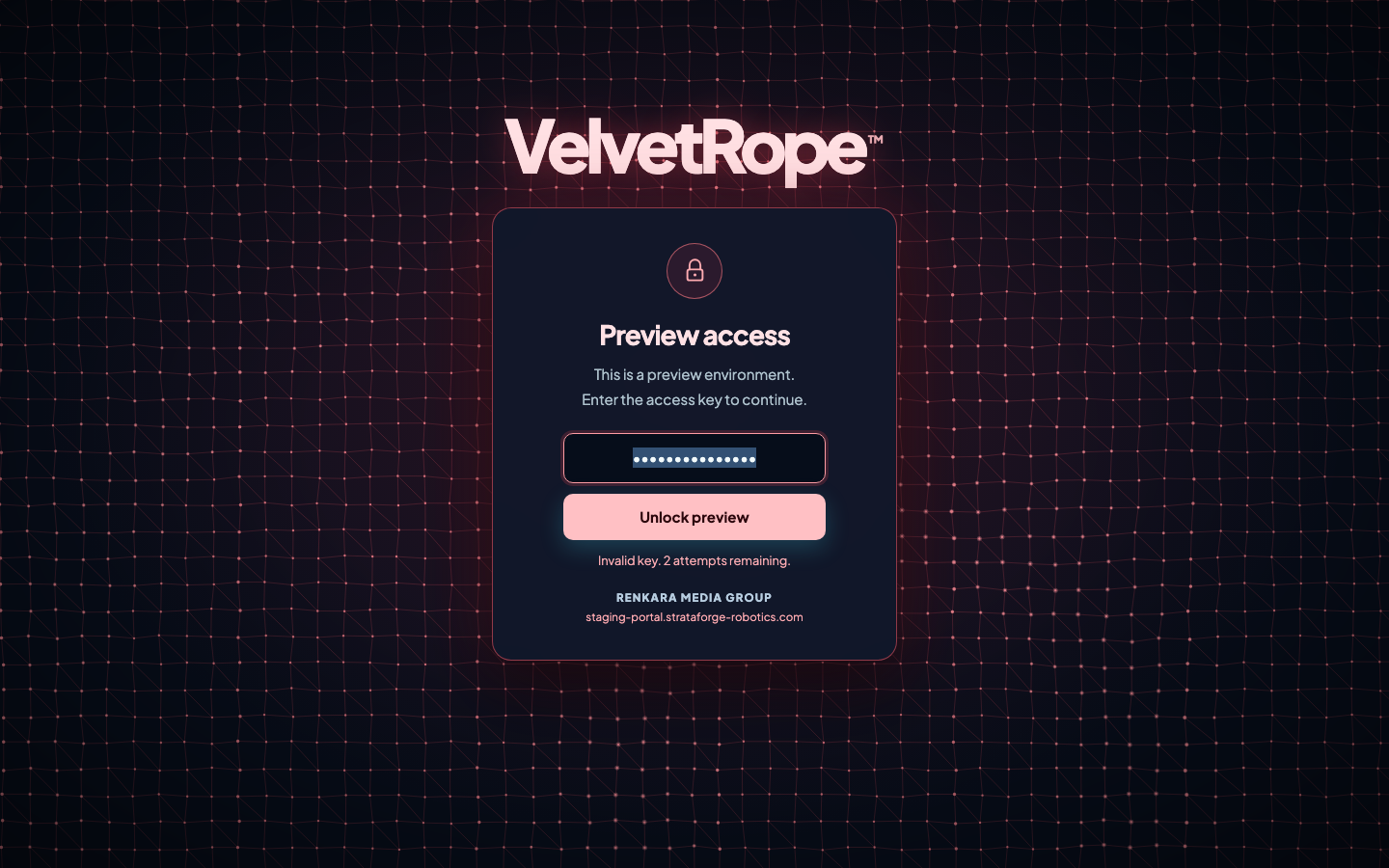
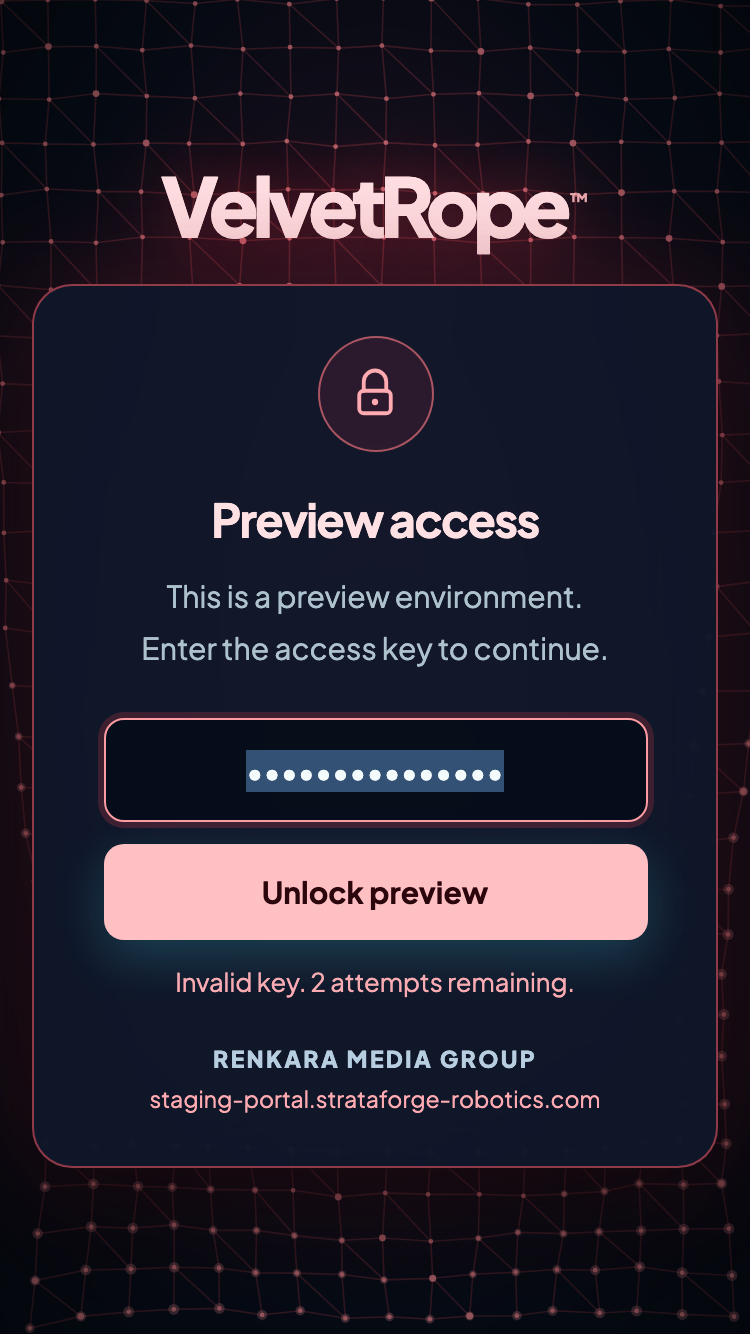
A wrong key turns the card and the background red, shakes the card, and says Invalid key with the number of attempts remaining: two, then one. The field is selected, so the next try replaces what was typed. The message is read out by a screen reader without taking focus.
The third wrong key locks the page for ten minutes
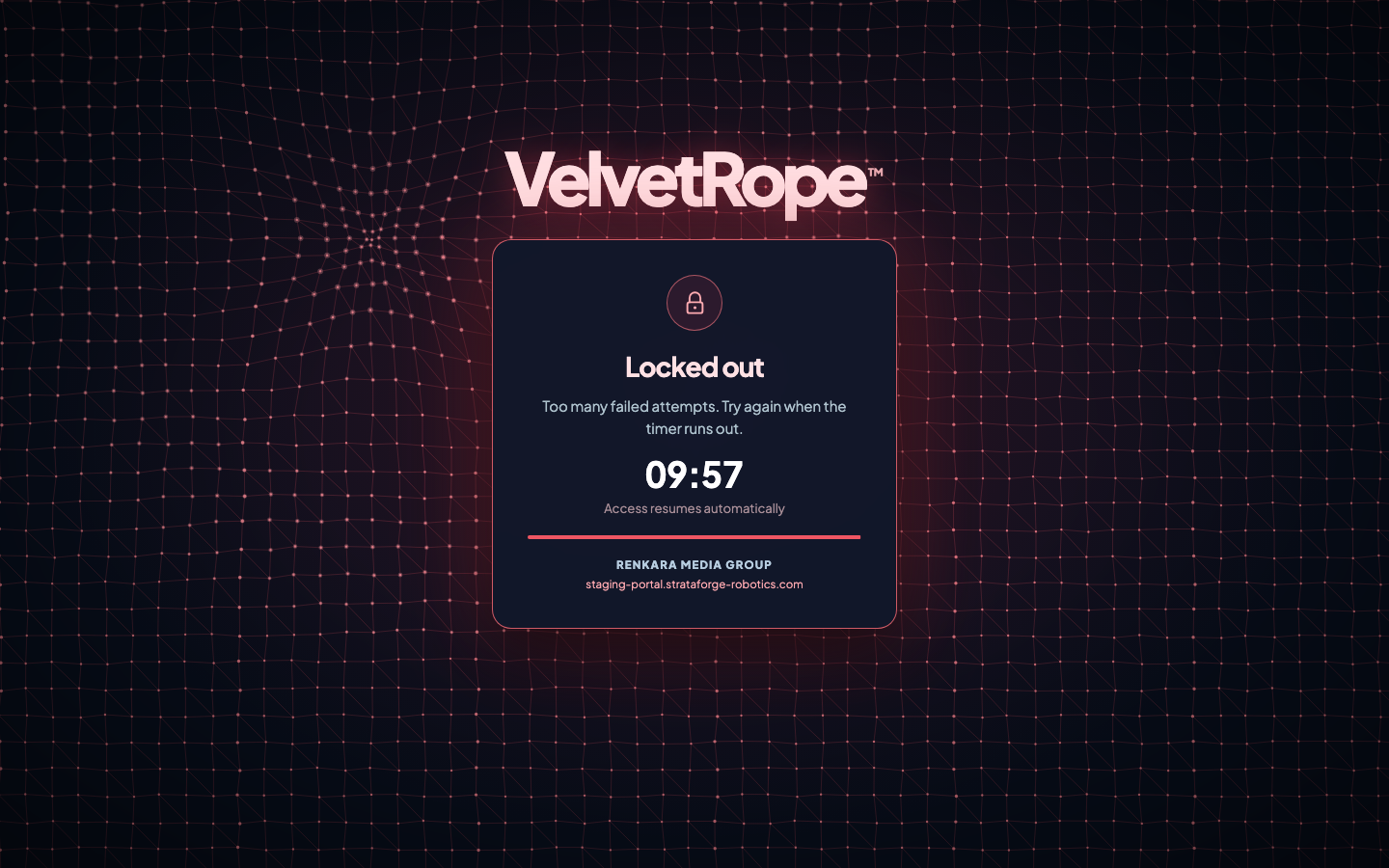
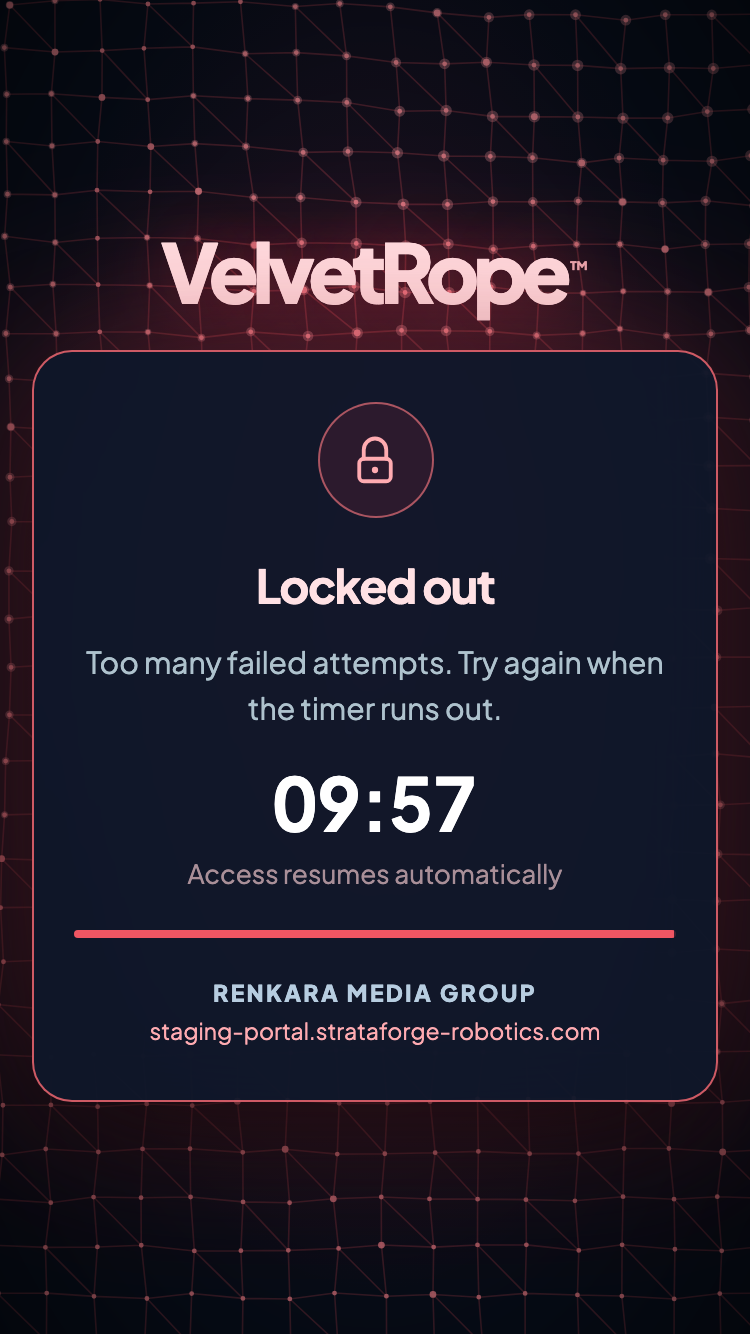
After the third wrong key the page says Locked out and counts down from ten minutes, with a bar that drains. When the timer reaches zero, access resumes automatically and the page reloads. Reloading earlier shows the lockout screen again.
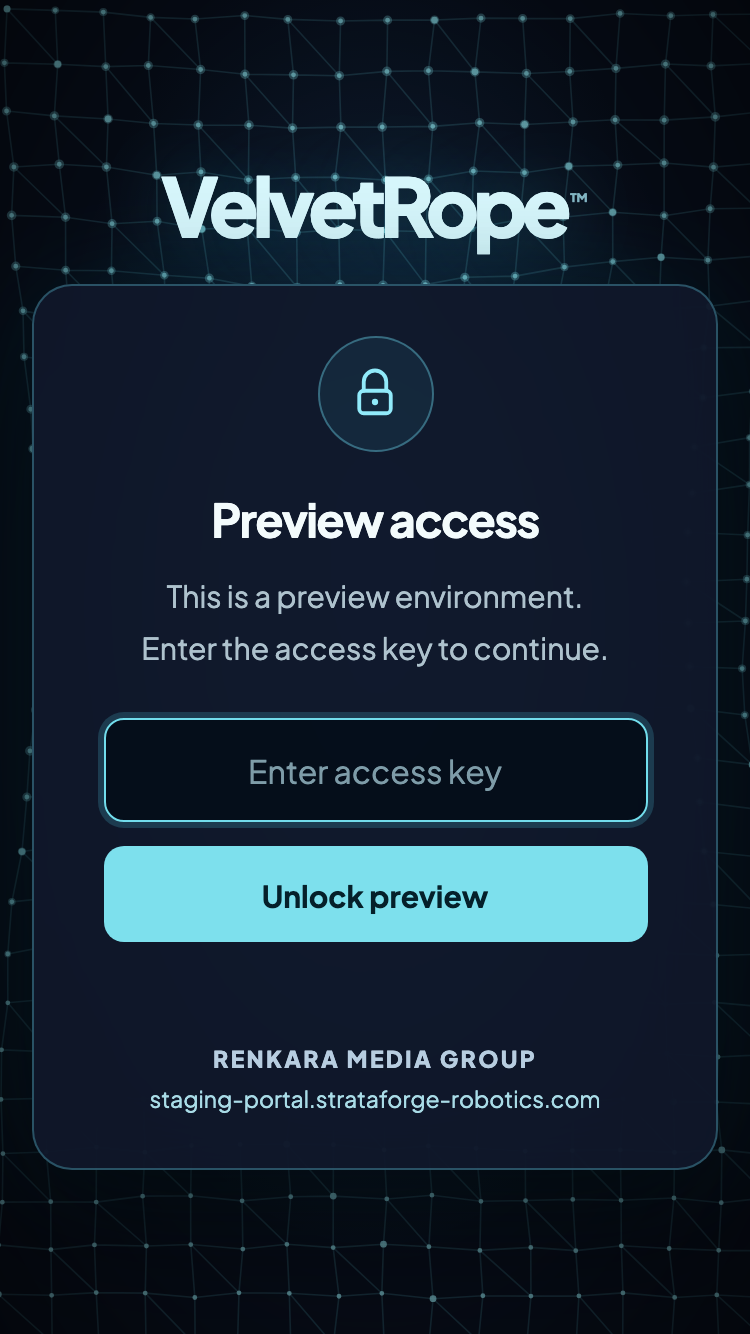
The same page on a phone
On a narrow screen the card fills the width, the word mark moves above it, and the key field is 16 pixels or larger, so a phone does not zoom in when it takes focus. The first view, the wrong-key view, and the lockout view all fit at 375 pixels wide with no sideways scroll.
A wrong key on a phone
The red state is the same on a phone: the card, the message, and the attempts remaining, with the field showing the typed key as dots.
A lockout on a phone
The lockout screen keeps its countdown and bar on a phone, and the whole card stays on screen.
What it does before the site is sent
- The key is never in the page
- The gate page holds no key and nothing derived from one. When a visitor submits, the page asks the gate whether the typed key is right and gets a yes or a no, with no part of the site in either answer. The page stores a key only after a yes.
- Pages get the page; files get a plain refusal
- A request for a style sheet, a script, or an image with no access is refused with an empty answer, not a copy of the gate page. A site with forty files behind the rope does not cost forty copies of the page, and the browser's console shows the real reason.
- A shared preview link signs a teammate in
- A link that carries the key signs the visitor in, then sends them to the same address without the key, so it stays out of the address bar, the browser's history, the page's referrer, and analytics. The files the page then asks for are let through too, so it renders styled the first time.
- A folder address opens the page inside it
- The same program that guards a Staging site also completes an address that ends in a folder, so the static hosting under it serves the page in that folder. A visitor never sees the difference.
- The page fits what the edge allows
- The edge lets a program write a response of up to 40 kilobytes. The build shrinks the gate page's script, then refuses to package it if it is over, so an oversize page fails the build and not the edge. The typeface, Plus Jakarta Sans, comes from Google Fonts when the page opens, and the page falls back to the system font without it.
One gate, and the tools that lean on it
- One gate for every Staging site
- Each fleet showcase site's Staging stack is generated with the gate attached, so a new site is gated from its first build. The gate is one program for all of them; a change to it is published once and each Staging site is moved onto it in its own release.
- Narrative builds, then looks through the gate
- Narrative, the fleet's site builder, checks a Staging build by going through the gate as a teammate would before it calls the build good. It can also add the same kind of preview prompt inside a Staging site's own pages.
- Aerie shows the key and proves the link
- Aerie, the fleet's registry of websites, shows the access key on every website's card and builds the card's Staging link with it. A pass over the cards opens each Staging site in a real browser, first as a visitor with no key, which must meet a gate, and then through the card's link, and reports any card that disagrees with its site.
From a request to the site, or to the rope
Ask
A browser asks a Staging address for a page, a style sheet, an image, or a script.
Check
At the edge, before anything is sent, the gate looks for a key the visitor has already been let in with.
Refuse or pass
No accepted key: a page request gets the Preview access page and anything else an empty refusal. An accepted key: the request goes on to the site.
Unlock
A visitor types a key into the page; the gate answers yes or no; on a yes the browser remembers it for a week and the site loads.
Lock
Three wrong keys lock the page for ten minutes, and access resumes by itself when the timer ends.
Built so everyone can use VelvetRope.
VelvetRope's one screen is the Preview access page a visitor meets in front of a Staging site. An automated scan found no violations on it in its three states at phone and desktop widths, and a keyboard-only run opened the field, submitted, and reached the button with a visible focus ring. Nobody has used it with a screen reader, its colors over the animated background have not been measured, and it plays a short sound on a wrong key that cannot be turned off. We do not claim a WCAG conformance level.
Supported
Keyboard operation
The key field has focus when the page opens, Enter submits, Tab reaches the Unlock preview button and Shift+Tab goes back, and the focused button shows a three-pixel outline. A keyboard alone can lock the page out, and the lockout screen is announced as an alert. Nothing on the page needs a pointer.
Not yet tested
Screen reader landmarks and labels
The page is built for one: the field has a label, the card is a dialog named by its one heading, a wrong key is announced in a live region, and the lockout screen is an alert. The decorative background and the padlock are hidden from assistive technology. The VelvetRope word mark is named with an attribute on a plain element, which axe could not decide on. No one has heard this page in a screen reader.
Not yet tested
Contrast in light and dark
Text sits on a dark card, and the word mark sits over an animated background. axe-core could not decide the contrast over that moving background, and no one has measured it by hand.
Supported
Reduced motion
Under a reduced-motion setting the card does not animate, a wrong key does not shake it, and the page waits a fraction of a second, not a second and a quarter, before it reloads after a right key. The background mesh is drawn once and held still, with no drift or ripples.
Not yet tested
Text resize and zoom
The page is sized in relative units and the key field is 16 pixels, so a phone does not zoom in on it. Nobody has tested the page at 200 percent text size or with a larger system font.
Partly supported
Mobile and touch
The card narrows and the word mark moves above it on a phone. At 375 pixels wide the page has no horizontal scroll in any of its three states, and the scan found no violations there. It has not been tried on a physical phone.
Under the hood
| Application |
|
|---|---|
| Behavior |
|
| Accessibility |
|
| Tests |
|
Part of the Renkara fleet
- Narrative
Narrative checks each Staging build through the gate before it reports the build good, and can add the same kind of preview prompt to a Staging site's own pages.
- Aerie
Aerie shows the access key on every website's card, builds the Staging link with it, and opens each Staging site in a real browser to prove the gate holds.
Questions people ask
Is VelvetRope available to other teams?
No. VelvetRope is internal to Renkara and is not offered for sale. There is no install or download button on this site, no sign-up, and no price. This site shows what the gate does for a visitor and for the team. Write to fleet@renkara.com with questions.
What does a visitor see?
A Preview access page: a padlock, a line saying this is a preview environment, a key field, and an Unlock preview button, over a moving mesh on a dark background. The Tour page shows it in its first view, after a wrong key, and locked out, on a phone and on a desktop.
Where does the team get a key?
From Aerie's website cards. This site publishes no key, and nothing on it opens a Staging site.
What does it protect?
Unfinished sites. It keeps strangers and search engines away from a site that is not ready to show. It is a preview gate for marketing sites, not a vault: nothing confidential belongs on a Staging site.
Why is the page dark, with no light version?
The gate page draws one dark theme and ignores a light setting. Each picture on this site is one real capture, used for both themes, and the site says so.
Why does a wrong key make a sound?
The page plays a short low sound when a key is wrong, starting only after the visitor submits. It is part of the page and cannot be turned off, which the Accessibility page lists as a known gap.
Is the Staging address in the pictures real?
No. The address is an invented StrataForge Robotics one. The page is the real gate page, served by the gate's own program through a stand-in for the network, so nothing real was on the screen. The page's own wording is fixed; only the address line changes with the site.
Does it also guard Production?
Production sites are public by design. A few private ones sit behind the same gate on purpose.
Questions about this tool?
Write to Renkara Media Group and a person will answer.